Carrier verification for mid-size brokerages
One verified path
from approval to delivery.
Approve the carrier, confirm the certificate with the insurer, send the rate con, and watch the truck from the ELD. A phone pin can be spoofed. The ELD cannot.
Free lookup · ELD from the truck · COI from the insurer · Team $499/mo
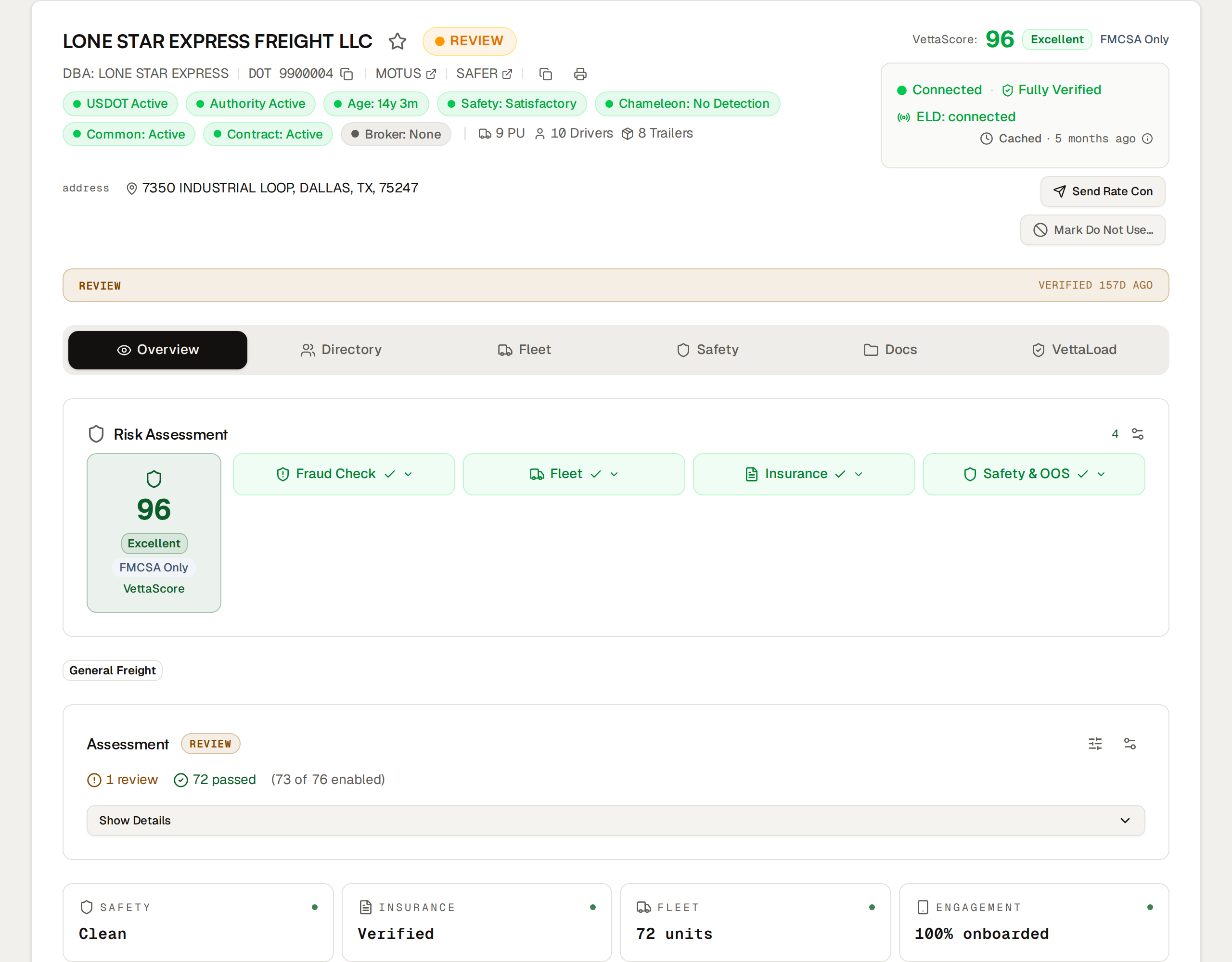
- Location
- ELD, not a phone pin
- Insurance
- Confirmed with the insurer
- TMS
- Turvo connected
- Setup
- Included, one session
Who it is for
Built for every handoff around a load.
An 8–50 person shop does not have a risk department. It has a desk that books, a person who owns compliance, and carriers who will ghost a process that asks for too much.
- 01
Carrier reps
Approve a carrier, send the rate con, and keep moving. Authority, insurance, score, and identity on one screen.
- 02
Compliance leads
Your standard, written down. Assessment rules, agreements, and a timestamped trail when a shipper asks how you vet.
- 03
Tracking desks
Location from the carrier's ELD, not a driver app that can be spoofed. Share a link when the customer wants eyes on the truck.
- 04
Carriers
MC or DOT, a six-digit passcode, optional ELD they authorize themselves. No license scan. No selfie. They never pay us.
Carrier directory
See the phone and the inbox before you tender.
A clean MC number is not a person. The directory shows you the contact you are actually talking to — line type, mailbox, and, when you are ready to book, a passcode only the real carrier can receive.
- phone
- (555) 201-8841
- line
- voip · google voice
- flag
- review before tender
Every number is checked: mobile, landline, or VoIP, plus the carrier behind it. Invalid numbers fail closed.
- inbox
- dispatch.mc412@gmail.com
- on file
- safety@realcarrier.com
- flag
- free mailbox · not on record
Contact email against the FMCSA filing address. Consumer inboxes and logins from outside North America show up on the row.
- otp
- fmcsa email of record
- result
- confirmed · 06:42:18 CT
- audit
- timestamp · ip · device
A one-time passcode goes to the carrier's FMCSA-registered email. An impersonator cannot open that inbox.
Certificate of insurance
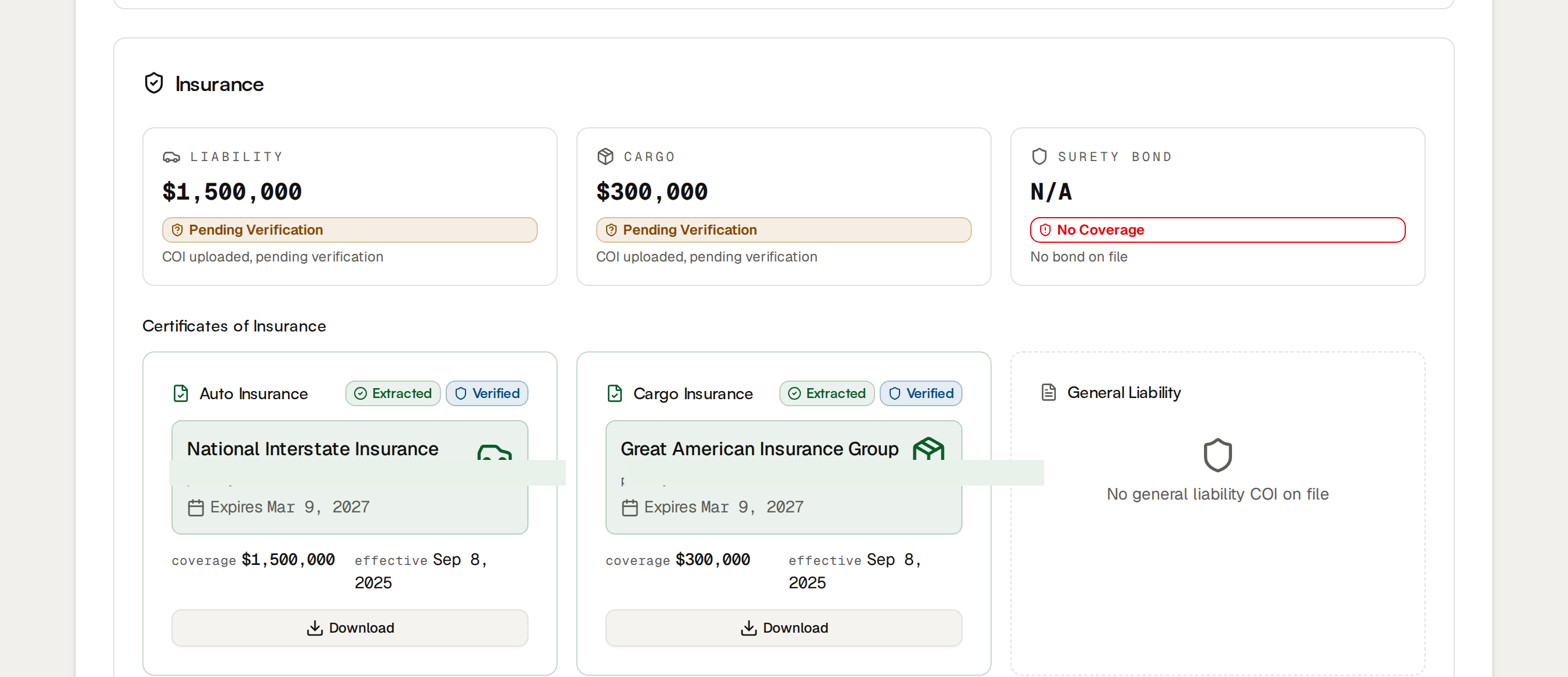
The certificate comes from the insurer, not the carrier's inbox.
A PDF attached to an email is a claim. A reply from the producer is a confirmation.
We ask the insurance producer for a certificate that lists VettaVerify as a holder. The file comes back from the agency, not from whoever emailed you the load. Domain checks flag a free mailbox pretending to be the agency.
You see whether coverage is on file, who sent it, and when it lapses — next to the FMCSA insurance record, not in a folder of forwarded PDFs.
Secure rate cons
Deliver the rate con through a controlled link.
The same verified contact receives it. Unprotected attachments are how a load gets intercepted.
You already decided this person is who they say they are. The rate con should not go to a different inbox as a PDF. Send a link they open, confirm, and sign. Your team can see whether it was received, viewed, or signed — and keep the record.
Rate cons are included on Team. We do not meter the moment you are trying to make a habit.
- to
- verified dispatcher
- access
- 2fa required
- status
- viewed · signed
- audit
- ip · device · timestamp
ELD tracking
The location comes from the truck, not a phone.
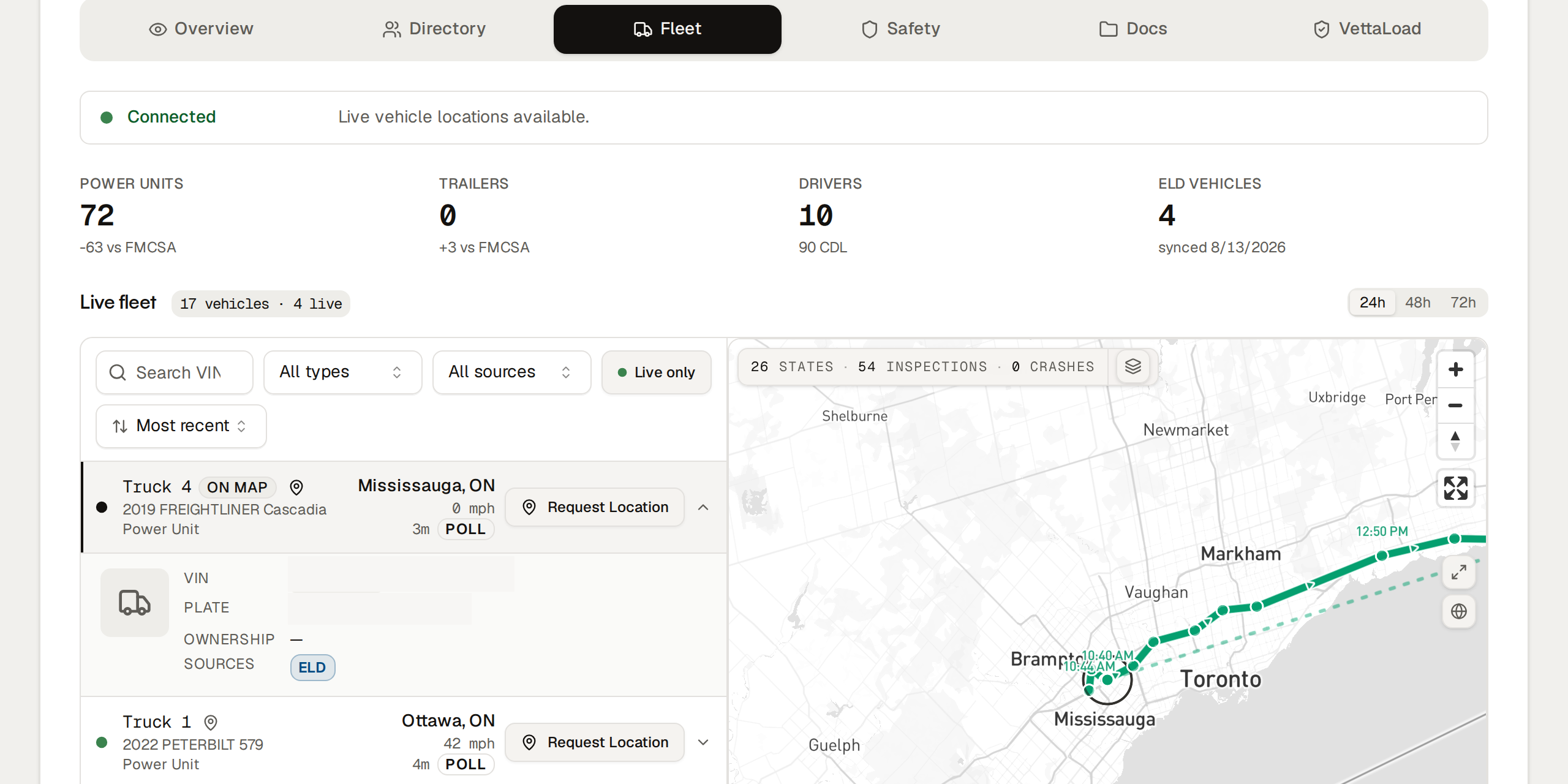
A driver can spoof a mobile check-in. They cannot spoof the ELD bolted to the tractor.
Check-call apps and a pin dropped from a phone are easy to fake. We read location from the carrier's own ELD — the same unit FMCSA already requires — after they authorize the connection themselves. Credentials are never stored.
Use it on the loads that warrant it. Turvo if that is your TMS, or a load you build here. Share a tracking link when the customer wants eyes on the truck.
From lookup to delivery
The path your desk already runs. In one login.
- 01
Look up the carrier.
Search 2.2 million FMCSA records by DOT, MC, name, or state. Authority, insurance, safety history, and a live VettaScore — no account required.
- 02
Confirm the person and the certificate.
VoIP, inbox, and an FMCSA-email passcode on the contact. The COI is requested from the insurer, not accepted as a PDF from whoever booked the load.
- 03
Send the rate con. Track from the ELD.
The verified contact gets the link. Location comes from the truck’s ELD, not a phone pin a driver can spoof. Turvo if you have it, or a load you build here.
- 04
Watch the relationship, not a snapshot.
Nightly FMCSA pull. Alerts when authority, insurance, inspections, or crashes move. Your notes and do-not-use list stay yours.
Activation
Look up a carrier tonight. Run it as your standard after one session.
The lookup is self-serve. Identity OTP, agreements, your bar, and Turvo are a configured workspace. Setup is included on Team. We usually finish inside a week.
- 01
Carrier agreement
You send the PDF. We place the fields. You test-sign and approve. Until this is live, you cannot run the agreement path you already use.
- 02
Assessment criteria
We sit with ops and turn on your standard: authority, insurance minimums, safety thresholds, identity, documents. Wrong defaults and you will not trust the product.
- 03
TMS, if you have one
Turvo connects in the same session. If you are on something else, we will tell you honestly whether we support it yet.
- 04
One walkthrough for the desk
Directory flags, when to send the passcode, how a rate con works, what an alert means. The next hire gets a recording, not another project.
Team
$499 a month.
Cancel in the app.
Built for the 8–50 person shop that has outgrown a monitoring subscription and needs the load path in one login. 14-day trial. Month to month.
- VoIP, inbox, and FMCSA-email identity
- Certificate requested from the insurer
- ELD location from the truck, not a phone
- Unlimited secure rate cons
- VettaScore with published methodology
- Turvo
- Assessment rules and agreements
- 25 seats · setup session included
Our commitments
Lines we hold so carriers finish.
Carriers never pay us.
Not for a profile, not for a better score, not to see what a broker sees.
No government ID.
Not from your brokers. Not from their carriers. An active authority is already on the record.
We don't sell what you build.
FMCSA data is public. Your notes, your list, and your relationships are not.
Try it on a carrier you already know
The lookup is free.
The score is free.
Pull a carrier you already run. See the score, the inbox, and the certificate story. If that matches the truck you thought you booked, we will set the rest up as your standard.